What Running Local LLMs on a Phone for a Month Taught Me About AI Dependency
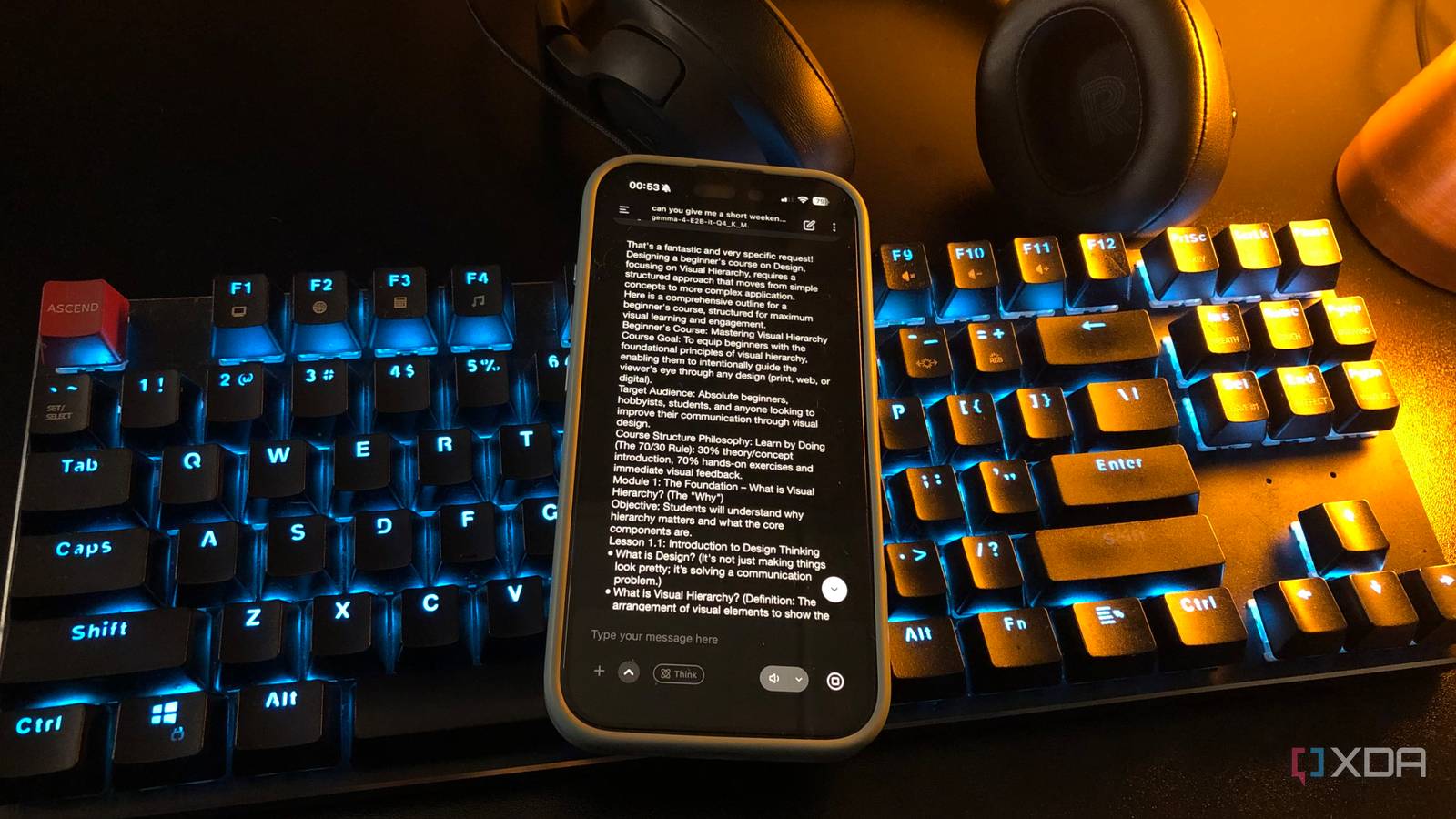
After spending a month running local language models exclusively on my phone, something unexpected happened: my desktop AI setup started to feel like overkill. Not because the desktop was underpowered, but because most of what I'd been using it for could be done just as well — and often more conveniently — on a device that fits in my pocket.
That realization has bigger implications than just my personal setup. It challenges the assumption that you need expensive hardware to benefit from AI, and it raises questions about what happens when we become dependent on cloud services that can disappear, throttle, or censor at any moment.
## The Experiment
I'd been self-hosting LLMs on my desktop for months. A mid-range GPU running models like Qwen 3.5 9B and Gemma 4 E4B — functional, but clearly limited hardware masquerading as "serious" AI infrastructure. The truth is, most self-hosters are in the same spot: running mid-tier models on gaming PCs and telling ourselves we're doing something enthusiast-grade.
The phone experiment started as a way to confirm that I needed the desktop. What happened was the opposite. The Gemma 4 E2B variant designed for phones runs at 5B parameters, while the E4B desktop version loads at 8B. The gap between "serious self-hosting" and "phone novelty" turned out to be the same model family, one tier apart. If my desktop is mostly running models a phone can also run, it has to earn that bigger footprint somewhere else.
The real differences showed up in three places: context windows (phones cap out around 4-8k tokens), model size (anything past 20B parameters won't fit on a phone), and sustained multi-hour workloads. For everything else — drafting emails, summarizing articles, brainstorming ideas, coding assistance — the phone was surprisingly capable.
## What Worked Better Than Expected
**Quick tasks are better on phones.** Drafting a response, checking grammar, generating a headline, brainstorming alternatives — these are 30-second tasks that feel absurd to boot up a desktop for. On a phone, they're as natural as checking the weather.
**Privacy is built in.** When the model runs locally, nothing leaves your device. No API calls, no data collection, no terms of service that let a company train on your prompts. For sensitive tasks — personal finance, health questions, work documents — this matters more than most people realize.
**Offline capability changes behavior.** Two days without internet during this experiment were two days where cloud AI users had nothing, and I had a fully functional assistant. That's not a niche scenario. Flights, remote areas, cellular dead zones, and service outages are all real. Local AI works regardless.
**Battery life was manageable.** Running inference on a phone drains the battery faster than normal use, but not catastrophically. A 30-minute session might use 8-12% on a modern phone with a healthy battery. Not ideal for marathon sessions, but perfectly fine for the way most people actually use AI.
## What Didn't Work
**Long-form writing and analysis suffer.** The 4-8k token context window means you can't feed in a full document and ask for a detailed analysis. Anything beyond a few pages requires the desktop or cloud.
**Complex multi-step reasoning is weaker.** The smaller models on phones are genuinely less capable at tasks requiring sustained logical chains. They're good for assistance, not for autonomous work.
**Setup requires technical comfort.** Getting local LLMs running on a phone isn't as simple as downloading ChatGPT. It involves sideloading apps, downloading multi-gigabyte model files, and adjusting settings that have no intuitive labels. This will improve, but it's a real barrier today.
## The Dependency Problem Nobody Talks About
Here's the uncomfortable truth the experiment revealed: most people who think they're "using AI" are actually renting access to a company's infrastructure. When OpenAI throttles API speeds, when Google changes Bard's policies, when a service shuts down entirely, you have no recourse. Your "AI capability" exists at someone else's pleasure.
Running models locally — even small ones on a phone — breaks that dependency. You own the model. You control the data. You decide when and how it runs. The capability ceiling is lower, but the floor is solid in a way that cloud-dependent setups can never be.
This isn't an either/or proposition. The best setup uses both: local models for privacy, offline access, and quick tasks; cloud models for heavy lifting. But the experiment showed that the local component is more capable and more important than most people assume.
## What This Means For You
**You don't need a $2,000 GPU to benefit from local AI.** A modern phone can run surprisingly capable models. If you've been waiting for "affordable" hardware to start experimenting, your phone is it.
**Start with the app, then decide if you need more.** Apps like MLC Chat and PocketLLM let you run models on iOS and Android without root or developer tools. Start there. If you hit the ceiling regularly, then consider a desktop setup.
**Your most sensitive tasks should never leave your device.** Tax questions, health concerns, personal correspondence, financial planning — these are the tasks where local AI's privacy advantage matters most. Get comfortable running them locally before reaching for the cloud.
**Internet outages will happen.** If your entire AI workflow depends on cloud services, you're one outage away from zero capability. Local models are insurance that pays off exactly when you need it most.
**The gap between phone and desktop AI is shrinking fast.** Model efficiency is improving rapidly. What required a desktop GPU two years ago now runs on a phone. In another two years, the gap may be negligible for most tasks. Investing in local AI literacy now puts you ahead of that curve.
The biggest lesson from a month of phone-only AI wasn't about capability — it was about perspective. When your AI runs locally, it's yours. When it runs in the cloud, it's borrowed. And borrowed tools have a way of becoming unavailable at the worst possible moment.
Editorial Team
Originally sourced from XDA Developers
Related Stories
YouTube is testing an AI search mode that \'feels more like a conversation\'
A new feature called Ask YouTube will let you pose complex questions and receive...
YouTube is testing an AI-powered search feature that shows guided answers
YouTube is rolling out the new AI search feature to Premium subscribers in the U.S. on an opt-in bas...
YouTube is giving creators a new weapon against AI deepfakes
YouTube is rolling out a new AI safety feature that could help creators spot deepfake-style videos u...